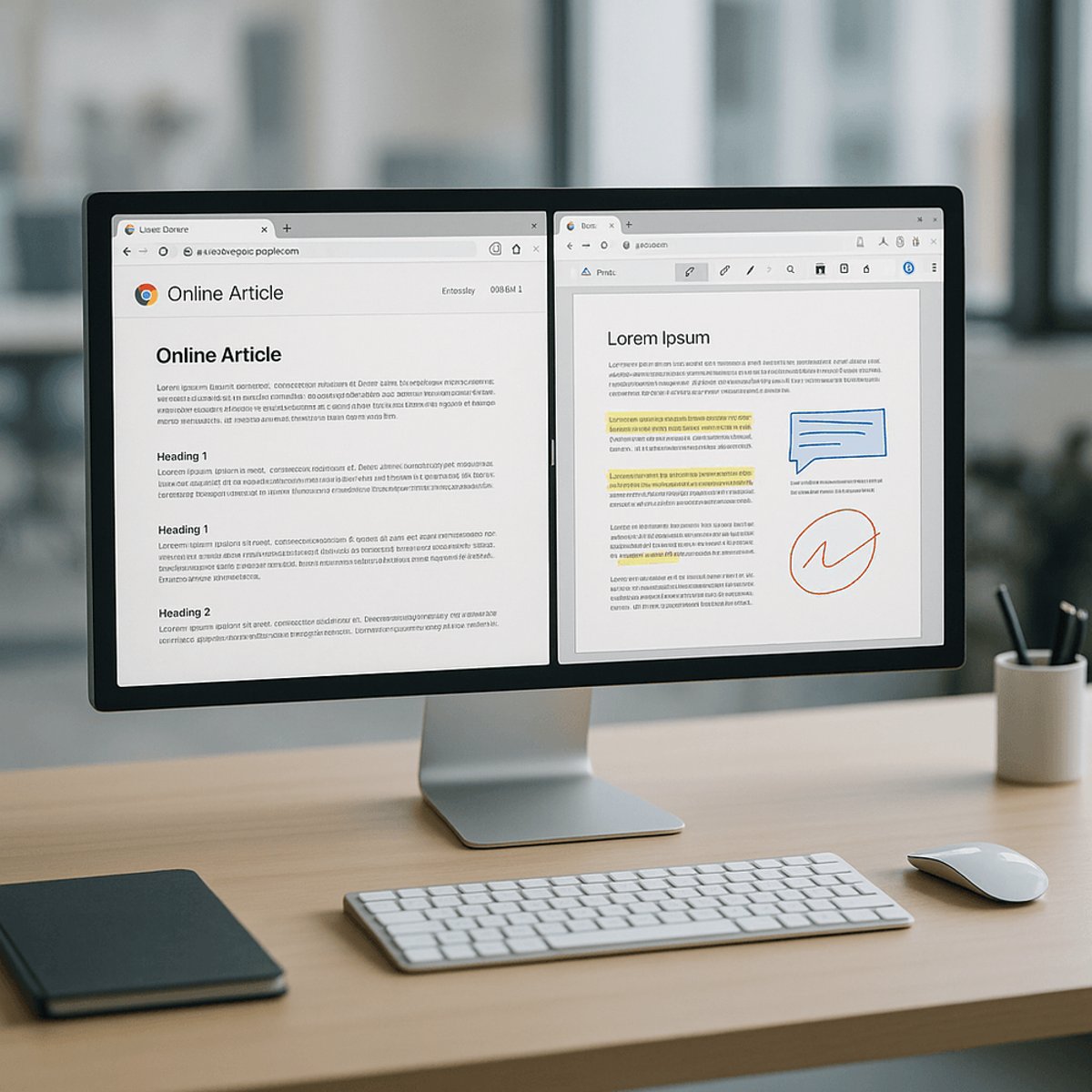
Google is pushing Chrome deeper into productivity territory with three new features that transform the browser into more of a workspace hub. The company just announced Split View for side-by-side tab browsing, native PDF annotation tools, and a 'Save to Chrome' feature for syncing content across devices. The timing isn't coincidental - Chrome's fighting to maintain its 65% market share as Microsoft Edge and upstart Arc chip away with their own productivity-first features.
Google just handed Chrome users a suite of productivity tools that blur the line between browser and workspace. The company announced Thursday that Split View, PDF annotations, and a new 'Save to Chrome' feature are rolling out globally, marking Chrome's most aggressive push yet into productivity territory.
The Split View feature does what power users have been jury-rigging with window management tools for years - lets you view two tabs side-by-side within a single browser window. No more alt-tabbing between research docs and writing tools, or dragging windows across multiple monitors. It's a direct shot at Microsoft Edge, which has offered similar split-screen capabilities since 2023, and the design-forward Arc browser that's been stealing mindshare among creative professionals.
But the PDF annotation tools might be the bigger deal. Chrome's new native markup features let users highlight, draw, and add text directly to PDFs without bouncing to Adobe Acrobat or third-party extensions. For the millions of workers who live in Google Workspace, this creates a tighter loop - research in Chrome, annotate in Chrome, share via Google Drive, all without leaving the ecosystem. It's the kind of friction-reducing feature that doesn't sound revolutionary until you realize you're using it dozens of times a week.
'Save to Chrome' rounds out the update with cross-device syncing that goes beyond bookmarks. Users can now save articles, images, and other content to a dedicated space that follows them across desktop, mobile, and tablet. Think of it as Google's answer to Apple's Reading List or Pocket, but baked directly into the browser's core experience. The feature taps into Chrome's existing sync infrastructure, which already handles passwords, history, and settings across more than 3 billion devices.
The timing reveals Google's strategic hand. Browser competition has shifted from pure speed benchmarks to who can replace the most productivity apps. Arc turned heads by reimagining browser UI around workspaces and split views. Microsoft has been integrating Edge deeper into Windows 11's workflow with features like Collections and vertical tabs. Even Apple finally added Tab Groups and web app support to Safari. Chrome's held onto roughly 65% of the desktop browser market, but that dominance masks growing pressure from competitors positioning themselves as productivity platforms, not just web portals.
Google's also playing defense on another front. The rise of AI-powered browsers like Perplexity and search-integrated tools threatens Chrome's role as the gateway to information. By making Chrome itself more useful for actual work - not just finding and displaying web pages - Google keeps users inside its ecosystem longer. Every minute spent annotating PDFs in Chrome is a minute not spent in a competitor's tool.
The features land as Google faces broader questions about Chrome's future. The Department of Justice has pushed for Chrome's divestiture as part of its antitrust case against Google's search monopoly. While that legal battle drags on, Google's clearly betting on making Chrome indispensable through features, not just market inertia. A browser that's genuinely useful for daily work is harder to switch away from than one that's just fast.
For enterprise users, these updates inch Chrome closer to replacing standalone productivity tools. IT departments already managing Google Workspace might find the tighter integration reason enough to standardize on Chrome over Edge or Firefox. The PDF tools alone could eliminate the need for separate annotation software in many workflows, especially for teams already living in Google Docs and Sheets.
The features start rolling out this week across Chrome's desktop versions for Windows, Mac, and ChromeOS. Mobile support for 'Save to Chrome' arrives on Android and iOS simultaneously, though Split View remains desktop-only for now. Google hasn't announced pricing changes - all three features come free to existing Chrome users, continuing the company's strategy of using the browser as a hook for its broader ecosystem rather than a standalone revenue source.
Chrome's productivity push isn't just about adding features - it's about redefining what a browser should do in 2026. As the lines between web browsing, document editing, and workspace collaboration continue to blur, Google's betting that the browser becomes the workspace itself. Whether that's enough to fend off Microsoft's enterprise muscle and Arc's design-first appeal remains to be seen, but one thing's clear: the browser wars aren't about speed anymore. They're about who can eliminate the most apps from your workflow.