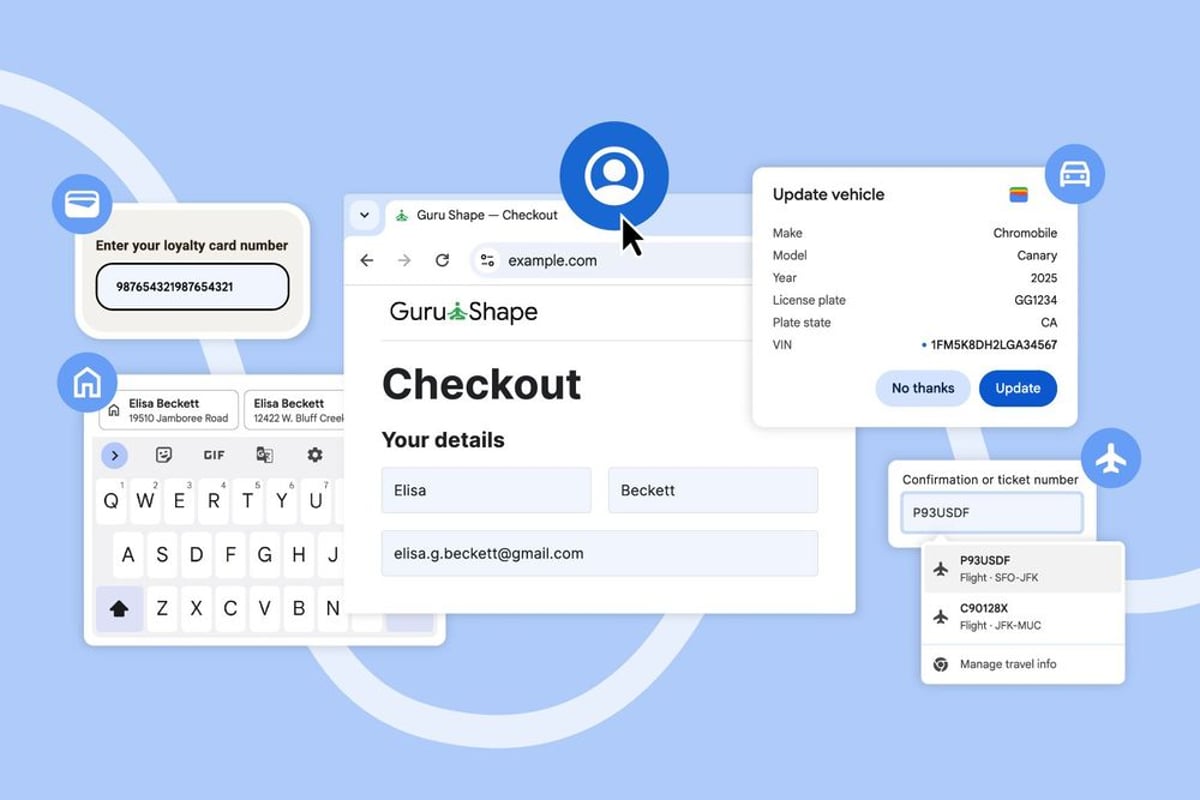
Google just made filling out online forms way less annoying. Chrome's latest autofill update taps directly into your Google Account and Wallet data, pulling everything from saved addresses to flight details. It's rolling out now across desktop, Android, and iOS, marking Google's biggest push yet to make its browser the center of your digital life.
Google is quietly reshaping how we interact with the web, and Chrome's latest autofill overhaul is the company's most aggressive move yet to embed itself deeper into our daily browsing habits. The update, announced today, transforms Chrome from a simple browser into a personal data assistant that knows exactly who you are and where you're going.
The changes hit Chrome users immediately. Your browser now pulls directly from your Google Account to grab your name, email, and saved work and home addresses without any additional setup. It's a seamless integration that Google's been building toward for years, but the execution feels almost invisible - which is exactly the point.
For Android users, the experience gets even smoother. Google's expanding those cramped autofill suggestions that pop up above your keyboard into proper two-line displays. Instead of squinting at "John Smith - 123 M..." you'll see full context like "John Smith - 123 Main Street" and "John Smith - 456 Oak Avenue." It's the kind of small but crucial improvement that makes you wonder why it took this long.
The international rollout reveals Google's global ambitions. Mexican addresses, which often reference intersections rather than single street numbers, get proper support. Japanese users will soon see phonetic name suggestions. These aren't flashy features, but they signal Google's commitment to making Chrome work everywhere, not just in Silicon Valley.
But here's where things get interesting: Google Wallet integration. Chrome can now pull your flight details, hotel bookings, and rental car reservations directly from Wallet to autofill travel forms. Book a rental car online and Chrome already knows your flight arrival time. It's convenient, sure, but it's also Google demonstrating just how much of your life flows through its ecosystem.
This builds on last month's "enhanced autofill" launch, which added support for passport numbers, driver's licenses, and vehicle details. That feature required users to opt in, but these new integrations happen automatically for anyone signed into Chrome.
The timing isn't coincidental. As browsers become the primary interface for work and personal tasks, Google's positioning Chrome as more than just a window to the web - it's becoming a personal assistant that anticipates your needs. Microsoft is pushing similar integration with Edge and Office 365, while Apple relies on Safari's tight iOS integration.
Competitive pressure is mounting. Password managers like 1Password and Bitwarden have built businesses around the friction Google's now eliminating. But they can't match the seamless integration Google achieves by controlling both the browser and the underlying services.
The privacy implications are worth considering. Every autofill action teaches Google more about your habits, travel patterns, and personal details. The company's privacy documentation explains how this data gets processed, but the convenience factor means most users won't dig into the details.
For web developers, this represents a fundamental shift. Forms that once required careful design to work with various autofill systems now need to account for Google's increasingly sophisticated data matching. The company's documentation suggests more enhancements are coming, potentially including AI-powered form completion that goes beyond simple field matching.
Google's strategy here mirrors its broader approach: make the experience so seamless that switching becomes unthinkable. Every successfully autofilled form is another small lock-in, another reason to stay within Google's ecosystem. It's working - Chrome maintains roughly 65% browser market share globally.
The rollout continues over the coming weeks, with desktop and mobile versions receiving updates simultaneously. Google hasn't provided specific timelines for the Japanese phonetic support or other international features, but the company's track record suggests broad availability within months.
Google's Chrome autofill expansion represents more than a convenience upgrade - it's a strategic play to cement the browser as an indispensable personal assistant. By seamlessly integrating Google Account and Wallet data, the company makes switching browsers increasingly difficult while gathering valuable behavioral insights. The real test will be whether users embrace this deeper integration or push back on privacy concerns as Google continues blurring the lines between browser and personal data hub.