the tech buzz

SUBSCRIBE
AIEnterpriseDealsSecurityCrypto
Newsletter

the tech buzz

Your premier source for technology news, insights, and analysis. Covering the latest in AI, startups, cybersecurity, and innovation.

FOLLOW US

THE DAILY

Get the latest technology updates delivered straight to your inbox.

Company

  • About Us
  • Editorial Team
  • Write For Usnew
  • Contact Us
  • Advertisenew

Legal

  • Privacy Policy
  • Terms of Service
  • Cookie Policy
  • Disclaimer
  • EULA
  • AI Code of Conduct

Resources

  • Newsletters
  • RSS Feeds
  • Subscribe
  • Pricing & Packages
  • Sitemap
  • Archives
  • TechBuzz Pressnew

PUBLISH WITH US

Reach 1.1M+ subscribers via TechBuzz Press.

TechBuzz Press

HAVE A TIP?

Send us a tip using our anonymous form.

Send a tip

HAVE QUESTIONS?

Reach out to us on any subject.

Ask Now

Browse by Category

AIBlockchainCloudSecurityDataDealsInvestmentsEnterpriseVenturesIoTMobileRoboticsSoftwareStartupsAppleMetaMicrosoftOpenAiGoogleTesla

© 2026 The Tech Buzz. All rights reserved.

the tech buzz

Adobe Project Indigo Finally Works on iPhone 17 (Sort Of)

ArticlesNewsletters
ArticlesNewsletters
mobile apps/Project Indigo

Adobe Project Indigo Finally Works on iPhone 17 (Sort Of)

Adobe's photo app disables front camera to support iPhone 17's new sensors

by The Tech Buzz

PUBLISHED: Sun, Oct 26, 2025, 3:35 PM UTC | UPDATED: Fri, Sep 4, 2026, 3:35 PM UTC

Add as a preferred source on Google
Adobe Project Indigo Finally Works on iPhone 17 (Sort Of)

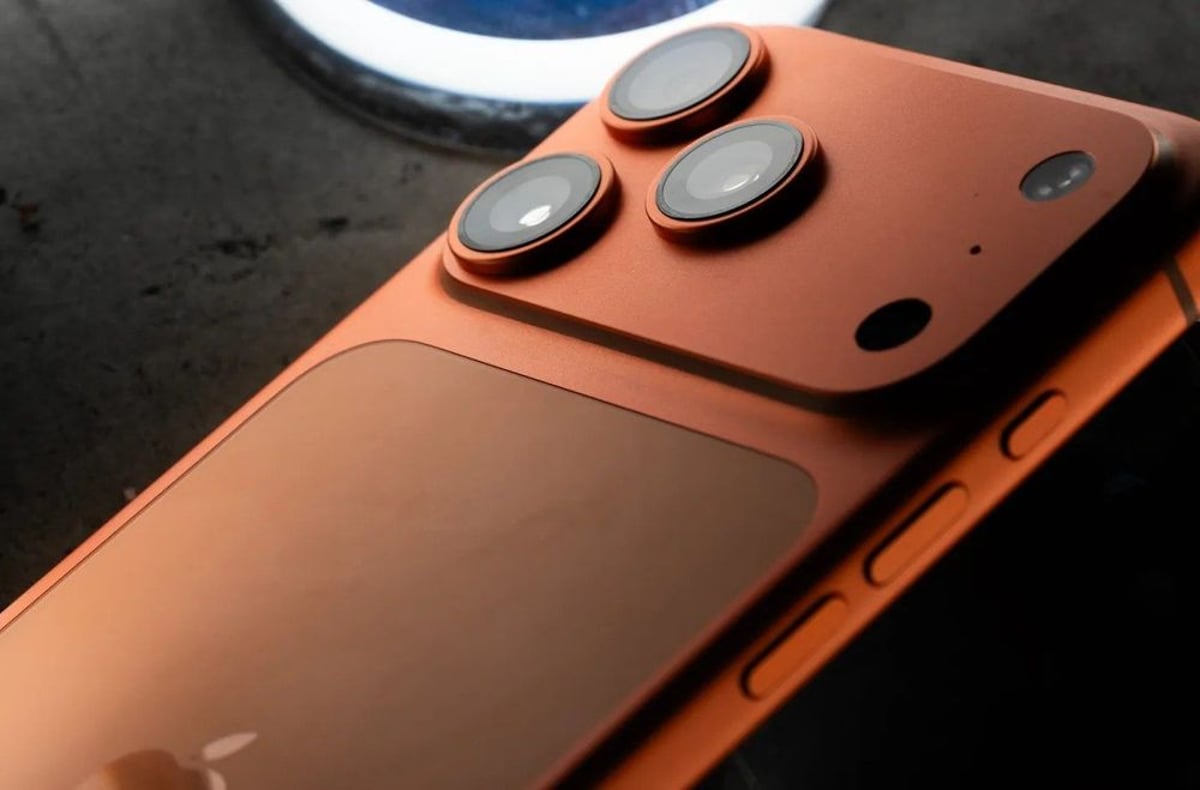
Adobe just pushed Project Indigo back to iPhone 17 users after a month-long blackout, but there's a catch - the front-facing camera doesn't work. The company had to disable selfie support entirely to get around compatibility issues with Apple's new square-format sensor, leaving users with rear camera functionality only until iOS 26.1 arrives.

Adobe just pulled off the software equivalent of fixing a broken car by removing the radio. After leaving iPhone 17 users completely in the dark for over a month, the company finally restored Project Indigo access by simply turning off the front-facing camera altogether. It's not elegant, but it works - sort of.

The computational photography app hit a wall when Apple launched the iPhone 17 series back in September. The new square-format selfie sensor threw Project Indigo's algorithms completely off course, making the app essentially unusable on Apple's latest hardware. According to updates posted on Adobe Community forums, engineers had been scrambling behind the scenes to figure out a fix.

Project Indigo launched in June to immediate acclaim from mobile photographers who were tired of the iPhone's aggressive image processing. The app takes what users describe as a "softer touch" to computational photography, preserving more natural tones instead of the punchy, sometimes oversaturated look that Apple's camera app tends to produce. It's built by the same team behind Google's legendary camera technology, including former Pixel camera chief Marc Levoy.

Advertisement

But that sophisticated processing pipeline apparently couldn't adapt to the iPhone 17's redesigned front camera system. Apple switched to a square sensor format for the selfie camera across the entire iPhone 17 lineup - a move that caught several third-party camera apps off guard. The change isn't just cosmetic; it requires apps to completely rethink how they handle image data from the front-facing sensor.

"We know this isn't ideal," an Adobe spokesperson acknowledged in the community forums. "But we felt it was better to give iPhone 17 users access to the rear cameras while we work on a complete solution." The company has been testing various workarounds since early October, but nothing proved stable enough for a full release.

The timing couldn't be worse for Adobe. Project Indigo was gaining serious momentum among photography enthusiasts who wanted more control over their iPhone's computational photography. Professional mobile photographers had started incorporating it into their workflows, particularly for portrait and street photography where the app's more restrained processing really shines.

Apple's iOS 26.1 update, expected to arrive in mid-November, will include API changes that should allow Adobe to properly support the square selfie sensor. The company says it's already testing a build that works with the beta version of iOS 26.1, but won't commit to a specific timeline for enabling front camera support.

Advertisement

For now, iPhone 17 users who want to use Project Indigo will have to settle for rear camera functionality only. That's still the app's strongest feature - the main cameras produce the most dramatic difference compared to Apple's default processing. But losing selfie support is a significant limitation, especially as social media creators have become some of the app's most vocal advocates.

The situation highlights the delicate balance third-party developers face when Apple makes hardware changes. Even seemingly minor sensor updates can break compatibility in ways that aren't immediately obvious. Adobe isn't the only company dealing with iPhone 17 camera issues - several other photography apps have reported similar problems with the new front-facing sensor.

Adobe's workaround solution gets Project Indigo back in iPhone 17 users' hands, but it's clearly a temporary fix. The company's willingness to ship a partially functional version shows how eager they are to maintain momentum with their photography app. With iOS 26.1 expected next month, full functionality should return soon - but this episode reveals how even minor hardware changes can create major headaches for third-party developers trying to keep pace with Apple's rapid innovation cycle.

More Topics:
Project Indigocamera appMobile SoftwareiOS compatibility

Advertisement

Advertisement

Trending Now

1

GoPro CEO Vows Cameras Stay Core After Starman Deal

2

Judge Splits Ruling in X vs. Twitter Rival Fight

3

Tim Cook Steps Down, Ternus Takes Apple's Helm

4

Google's Lyria 3.5 Brings AI Music to Gemini

5

Google Translate Gets Listening Mode, Live Background Mode

People Also Ask

Adobe Project Indigo is a computational photography app that takes a softer approach to iPhone image processing, preserving more natural tones compared to Apple's default camera app. Built by former Google Pixel camera engineers, it offers mobile photographers more control over their iPhone's computational photography.

Adobe Project Indigo can't handle the iPhone 17's new square-format selfie sensor, which completely threw off the app's algorithms. Apple switched to a square sensor format across the iPhone 17 lineup, requiring apps to completely rethink how they handle front-facing camera image data.

Full iPhone 17 support for Adobe Project Indigo will return when iOS 26.1 launches in mid-November. Adobe is already testing a build that works with the iOS 26.1 beta, which includes API changes needed to properly support the square selfie sensor.

Yes, but only with the rear cameras. Adobe restored Project Indigo access on iPhone 17 by disabling the front-facing camera entirely. Users can access the app's main functionality for rear camera photography while Adobe works on a complete solution.

Adobe Project Indigo was completely unavailable on iPhone 17 for over a month after the phone's September launch. The app couldn't handle Apple's new square-format sensor, leaving users without any Project Indigo access until Adobe implemented the workaround solution.

Adobe Project Indigo preserves more natural tones instead of the punchy, sometimes oversaturated look that Apple's camera app produces. It's particularly effective for portrait and street photography, offering professional mobile photographers more restrained computational photography processing for their workflows.

More in mobile apps

Truecaller launches Family Protection against household scams

Truecaller launches Family Protection against household scams

Google Photos gets 5 new video editing tools with templates

Google Photos gets 5 new video editing tools with templates

Google's Call Reason feature lets Android users flag urgent calls

Google's Call Reason feature lets Android users flag urgent calls

Festivitas Holiday App Expands to iPhone with Widgets

Festivitas Holiday App Expands to iPhone with Widgets

RingIt App Solves Cross-Platform Phone Finding Problem

RingIt App Solves Cross-Platform Phone Finding Problem

Blackmagic Camera App Adds Direct YouTube & Twitch Streaming

Blackmagic Camera App Adds Direct YouTube & Twitch Streaming

More Articles

Nintendo Finally Launches Official Store App Globally

Nintendo Finally Launches Official Store App Globally

Nov 5

Adobe Premiere hits iPhone with AI-powered mobile editing

Adobe Premiere hits iPhone with AI-powered mobile editing

Sep 30

Proton Mail Goes Offline - Privacy Email Gets Flight Mode

Proton Mail Goes Offline - Privacy Email Gets Flight Mode

Sep 25